LS4 camera cool down procedure
BEFORE STARTING
- With the vacuum pump OFF, make sure that there are no major leaks. Perform a leak check: after 1 hour of pumping to 1 mTorr, the pressure should stay below 10 mTorr. The leak rate was measured to be ~1.1 mTorr/hr in the May 2025 commissioning run.
- Once certain there are no significant leaks, ensure that dewar pressure is < 1 mTorr when starting to cool.
- Make sure Lakeshore is powered up and the 4 temperature sensors are reading properly. Any error messages like S.OVER or T.OVER is usually caused by a loose electronic connection to the sensor. Make sure all wired connections to the rear panel of the Lakeshore are secure.
- Turn ON the dry air supply for the dewar window.
- Switch air supply line from feeding the pneumatic dewar valve to the shutter and reduce pressure on the line.
CONFIGURE LAKESHORE
- Turn OFF setpoint ramping for Output A and Output B, which regulate the heaters on the focal plate.
- Push Output Setup button (this is button "4").
- Push Output 1. Use arrow buttons to go down to Setpoint Ramping.
- Press Enter and change this to Off (if it is not already Off) and press Enter to confirm this selection.
- Press Escape to return to the main screen.
- Repeat for Output 2.
- Set the Setpoint to desired target temperature. Typically, we have used -130 C (~140 K) for these CCDs.
- Press Setpoint button and key-in the desired temperature. Check the sign by using the +/- key to make sure it is correct.
- Set this setpoint for both A and B by pressing the buttons "A" and "B" making sure that both are set properly.
- Turn heaters ON, if they are not already on. Heaters should be connected to Outputs A and B, and the corresponding red LEDs should be on when the heaters are enabled. If they are not currently on, then they can be turned on but selecting the button Output Range and using the arrow keys to select "High" and pressing Enter.
- When motherboard temperature reaches <-30 C, power up the Archon controllers by flipping the physical switches on the boxes, then enabling the bias voltages to keep the motherboard from getting too cold.
START TEMPERATURE MONITORING
There are two options for monitoring metrics: (1) Grafana or (2) local/Google sheet recording
To use Grafana, execute the script ~/kenneth/start_grafana.sh which will instantiate two GNU screens automatically that attempts to launch Prometheus (database handling) and a Flask app that is exposed to Prometheus for data scraping. If the workstation has been rebooted, the serial connection to the pressure gauge might need to be re-enabled, using a command like sudo chmod 777 /dev/ttyUSB1. If Prometheus throws an HTTP 500 error, this is most likely the issue.
To use the local or Google sheet recording:
On ls4-workstn, start the temperature and pressure monitoring scripts to record these data, if not already started.
Use a GNU screen to keep the scripts running in virtual consoles in the background, e.g., screen -S monitoring
- Execute
~/kenneth/record_pressure.sh
- Execute
~/kenneth/lakeshore/tmonitor.py
It is not recommended to have both types of monitoring running simultaneously. The devices from which data is streaming from have limited sockets and a simultaneous ping to the same device may cause unexpected behavior.
STARTING CRYOCOOLERS
- Turn on the PolyCold water chillers on the catwalk to start distilled water circulation.
- Close the wall outlet circuit breaker switches next to each compressor and the circuit breaker on the compressor itself.
- Make sure that the display of the compressor states "Ready".
- Press ON on the compressors to begin pumping (start both compressors at the same time to lessen temperature gradients on the focal plate).
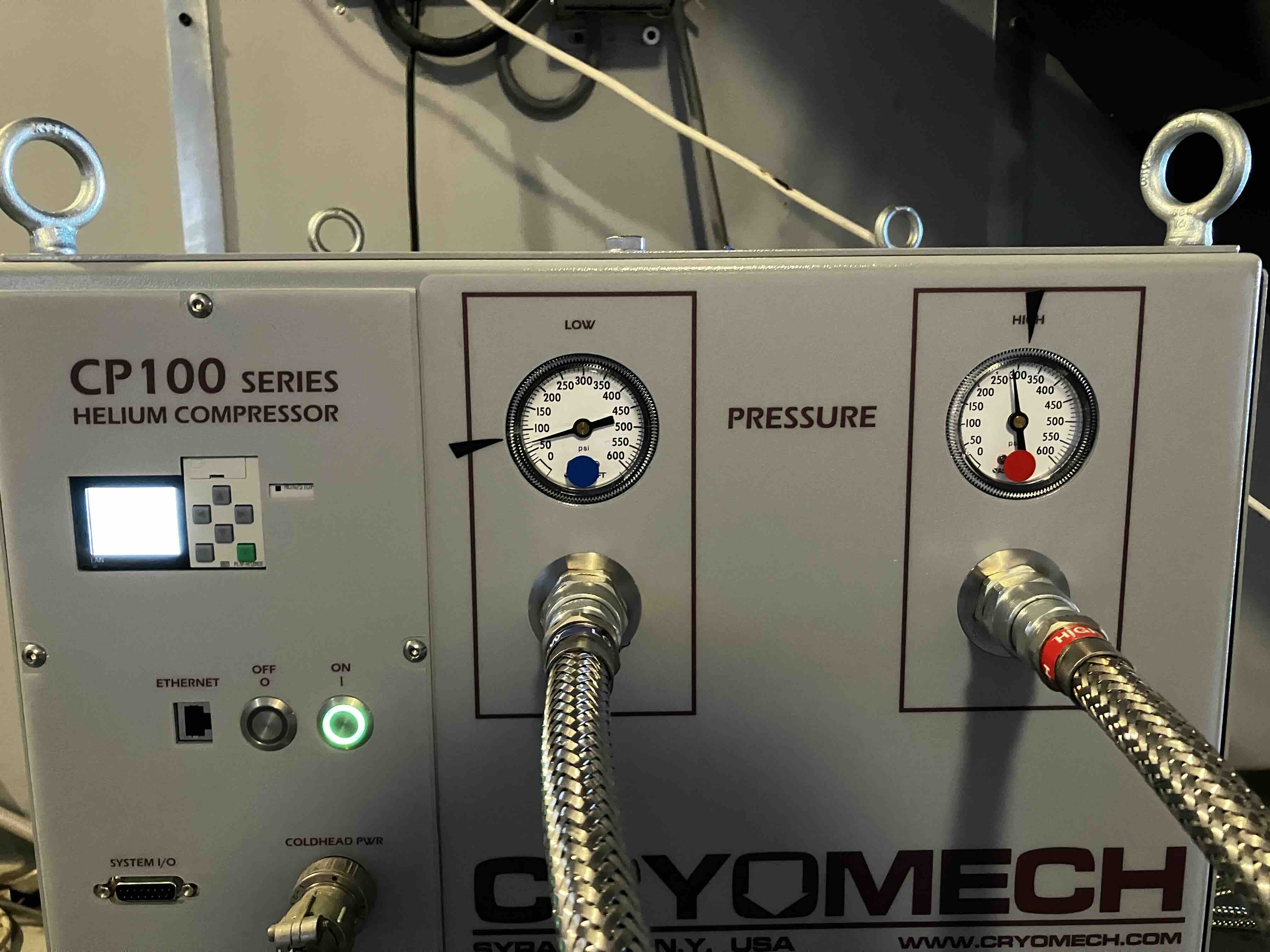
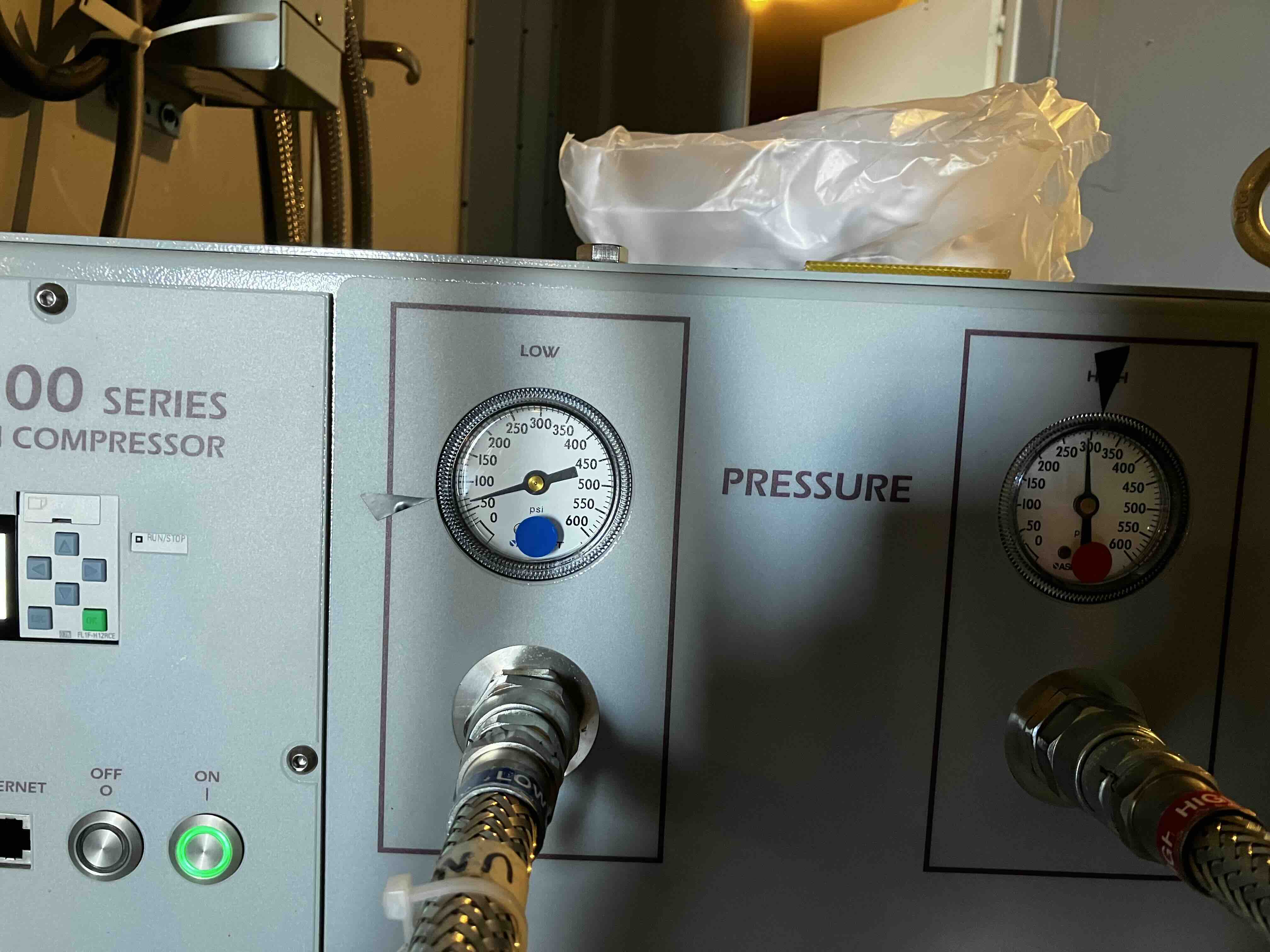
- Check that the Low and High pressure gauges on the compressors settle around their nominal levels, indicated by the black tape.
Page last modified: UTC September 16 2025 16:15:37 by Kenneth Lin
Back